
Mega888 Download & Installation Guide (Android APK, iOS, PC)
Verified Mega888 Client download routes, device installation steps, and safety checks for players in Malaysia.


Mega888 Installation Steps by Device
This page is the installation hub for Mega888 Client. Use the device selector above for direct access, then follow the matching steps below. For detailed error screenshots and phone-specific settings, continue to the Android, iPhone or PC guide.
Jump to Installation Instructions
Install Mega888 on Your Device
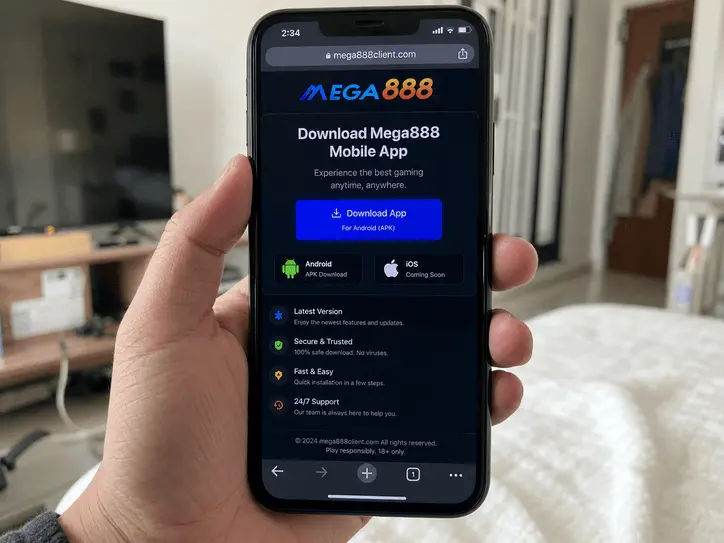
For Android: Download the APK file. If prompted, go to Settings > Security and allow "Unknown Sources" / "Install unknown apps". This is required because the app is not listed on Google Play Store.
For iOS: After installing, verify the developer certificate: Settings > General > VPN & Device Management → select the enterprise profile → tap Trust.
Windows or Mac
There is no native .exe file. To play on PC, use an Android Emulator such as NoxPlayer or LDPlayer.
- Download the emulator from its own official website.
- Open the Mega888 PC setup guide for the full sequence and common emulator fixes.
Before You Install
- Remove an older Mega888 installation if it conflicts with the new package.
- Confirm that your device has enough storage and a stable connection.
- Do not install files labelled as hacks, scanners or modified versions.
- Never give a password, OTP or PIN to someone offering installation help.
Common Installation Problems
- Error: "Untrusted Enterprise Developer" (iOS)
- Go to Settings > General > VPN & Device Management. Look for the enterprise profile and click TRUST.
- Android: "App Not Installed"
- Remove the old app, check available storage, download the APK again and confirm that your browser has permission to install unknown apps.
- iPhone: White Screen
- Delete the old app and follow the current iPhone guide again. A revoked or changed enterprise certificate cannot be repaired by repeatedly reopening the old install.
When the app installs but will not connect, use the Mega888 Help Center. Login, account and maintenance problems are handled on separate pages so this guide stays focused on installation.
Mega888 Installation Questions
Open Settings > General > VPN & Device Management, select the enterprise profile used by the app and tap Trust. Only continue when you recognize the app and installation source.
Use the current route, avoid files labelled as hacks or scanners, remove old packages before updating and never share your password, OTP or PIN with an installer.
An older installation, low storage or a blocked unknown-app permission can cause this message. Remove the old app, check storage, download again and review the browser permission.
There is no native Mega888.exe recommended here. Install the Android APK through a reputable Android emulator downloaded from the emulator provider's official website.
Why Players in Malaysia Rely on Mega888Client.com
We guide Android users through browser unknown-source permissions (Samsung, Xiaomi, Vivo, Huawei) and assist iPhone users with Enterprise Developer trust settings safely.
We actively warn players against fake "hack/scanner" apps and credential theft. New members can inspect the interface using our shared Test IDs before deciding to register.