
Home > Maintenance Guide
Mega888 Maintenance and Connection Checks
How to Check for Mega888 Maintenance
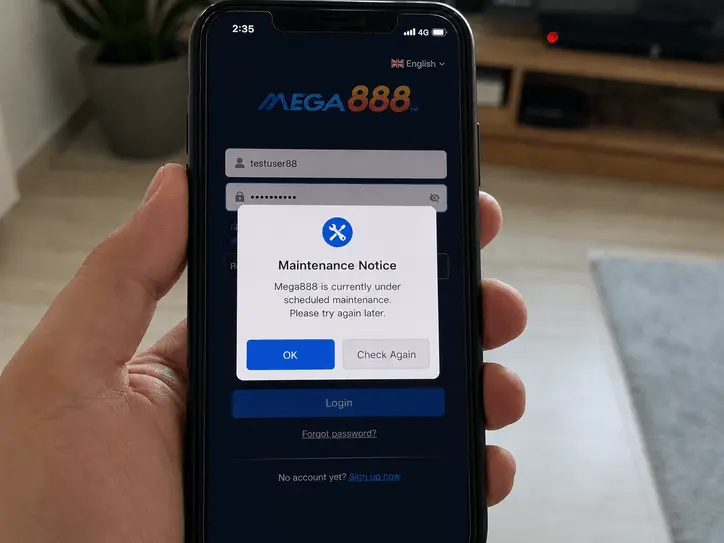
A maintenance message inside the app is useful evidence, but a loading error on one phone does not prove that every Mega888 server is down. Check the app message, test another connection and compare the result with information from the support route that manages your account.
Do not send a deposit or withdrawal request while the app or account support channel is unstable. Wait until you can confirm the correct account and transaction status.
| Check | What it suggests | Next step |
|---|---|---|
| In-app maintenance message | Planned or unplanned service work may be affecting access. | Close the app and retry later. Do not repeatedly submit transactions. |
| Works on mobile data only | Your Wi-Fi, DNS or ISP route may be the problem. | Restart the connection and test again before reinstalling. |
| Version or certificate error | The installed app may be outdated or its iPhone certificate may have changed. | Use the current Android or iPhone installation guide. |
There is no fixed weekly schedule stated here because maintenance windows can change. Treat exact times from social posts as unconfirmed unless your own account support channel verifies them.
Maintenance Message or Device Problem?
Use the checks below to narrow down whether the problem is likely related to maintenance, your connection, the installed app or an account-specific issue.
1. The "Server Under Maintenance" Popup
If you see this popup outside the usual schedule, it may be unplanned maintenance. Close the app, avoid sending new transaction requests, and check again later instead of repeatedly forcing login.
2. Error -1 (Connection Timeout)
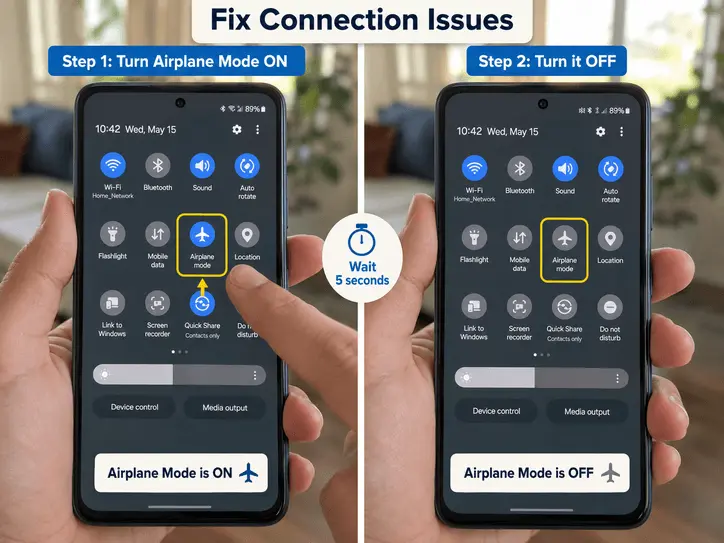
If the game hangs at the loading screen and says "Error -1", the issue may be your connection, telco route, or app cache rather than full server maintenance. Try turning Airplane Mode on for 10 seconds, then off, and reopen the app after the network reconnects.
3. "Version Outdated" Error
Mega888 app builds can stop working after a certificate, server, or compatibility update. If you are using an old install, remove it fully and follow the current Android or iOS guide before trying again.